Adding a Missing Person to a Group Photo: A Keep-Everyone Plan
AnimaMoments ·

To add one missing adult to a group photo without overlooking someone who was already there, write down the expected members and assign each photo a role first. In the worked example here, two original people plus one added person means three distinct adults. Compare each face with its source and keep the result only if everyone remains recognizable to you; generation cannot guarantee that.
Make the membership card first
Before combining photos, record who belongs in the original group, who is being added, and how many distinct people you expect to see. This turns “keep everyone” into a checkable requirement, not just an overall impression of whether the picture looks good.
Filled example: Primary photo — Alex, left, dark chin-length bob, green sweater; Morgan, right, silver hair, black glasses, beige shirt. Second photo — Sam, curly dark hair, rust sweater; the one adult to add. Expected result — Alex, Morgan, and Sam: three distinct adults. Keep both original members; add Sam once.
Copyable card: Primary group members — [names or distinguishing visible details]. Second photo shows — [one person to add]. Expected distinct people in result — [number]. Check separately — [original member 1], [original member 2], [added person]. Added person’s clothing that may adapt — [details]. Keep only if — [your recognition criteria]. Stop if — [missing, replaced, duplicated, or merged face].
Compare people, not the overall impression
For the fictional Alex-and-Morgan group, begin by counting: are there three distinct adults in the result? Then inspect each person against the assigned source. Check Alex’s dark bob and face, Morgan’s silver hair and glasses, and Sam’s curly hair and face. The example’s added person may appear in clothing that adapts to the group occasion, so a changed sweater alone is not the same as a missing person.
Use the result as a decision, not a pass based on an attractive composition. Stop if either original person has disappeared, been replaced, or become hard to recognize; if Sam is absent or appears twice; or if two faces or bodies have blended into one. A correct head count alone is not enough if an original member is no longer recognizable.
Set a keep-or-stop rule
Keep a prepared still only when all three expected adults are separately visible and you can recognize both original group members and the added person. If any person is missing, duplicated, merged, or replaced, reject that version rather than describing it as a successful keep-everyone result. If recognition is uncertain, ask someone who knows the people to review it before sharing.
This check covers the still image only. A group composite is an imagined arrangement, not evidence that everyone attended the same gathering. Do not present it as a documentary photograph of a real event.
What the style can request
AnimaMoments’ Missing from the Photo style uses two photo slots: the first is the group photo to keep, and the second shows the person to add. The style requests adding that person beside the group while keeping the existing people and scene. It is a request, not a guarantee: inspect the prepared result against your membership card, and do not assume exact positioning or perfect likeness.
In this illustrated case, the first input is a synthetic garden group of two fictional adults and the second is a separate synthetic portrait of one fictional adult man. The image preparation aims at a three-person result. It does not demonstrate a completed animation, a real reunion, a controlled comparison between results, or reliable preservation for every set of photos. Consider animation only as a separate later stage, after deciding whether the still meets your criteria.
Illustrative example
Two in the group, one to add
The primary image is a synthetic garden group with Alex, a fictional adult woman with a dark bob and green sweater, at left, and Morgan, a fictional adult man with silver hair and black glasses, at right. The second image shows Sam, a separate fictional adult man with curly dark hair and a rust sweater. One use of the Missing from the Photo style is intended to add Sam beside the original pair. The expected result is three distinct adults. Check each face and count; this example does not guarantee preservation or show a completed animation.
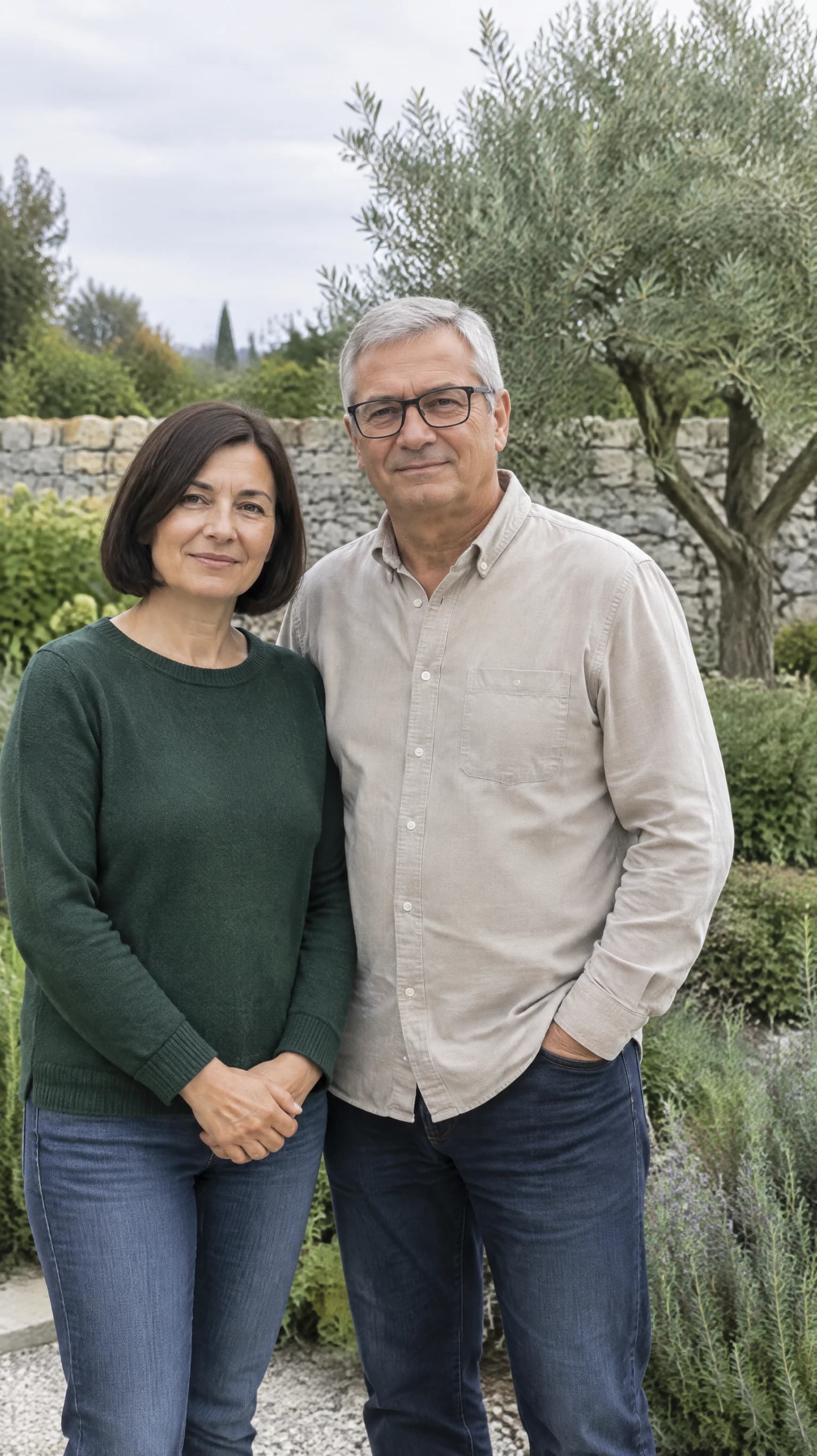
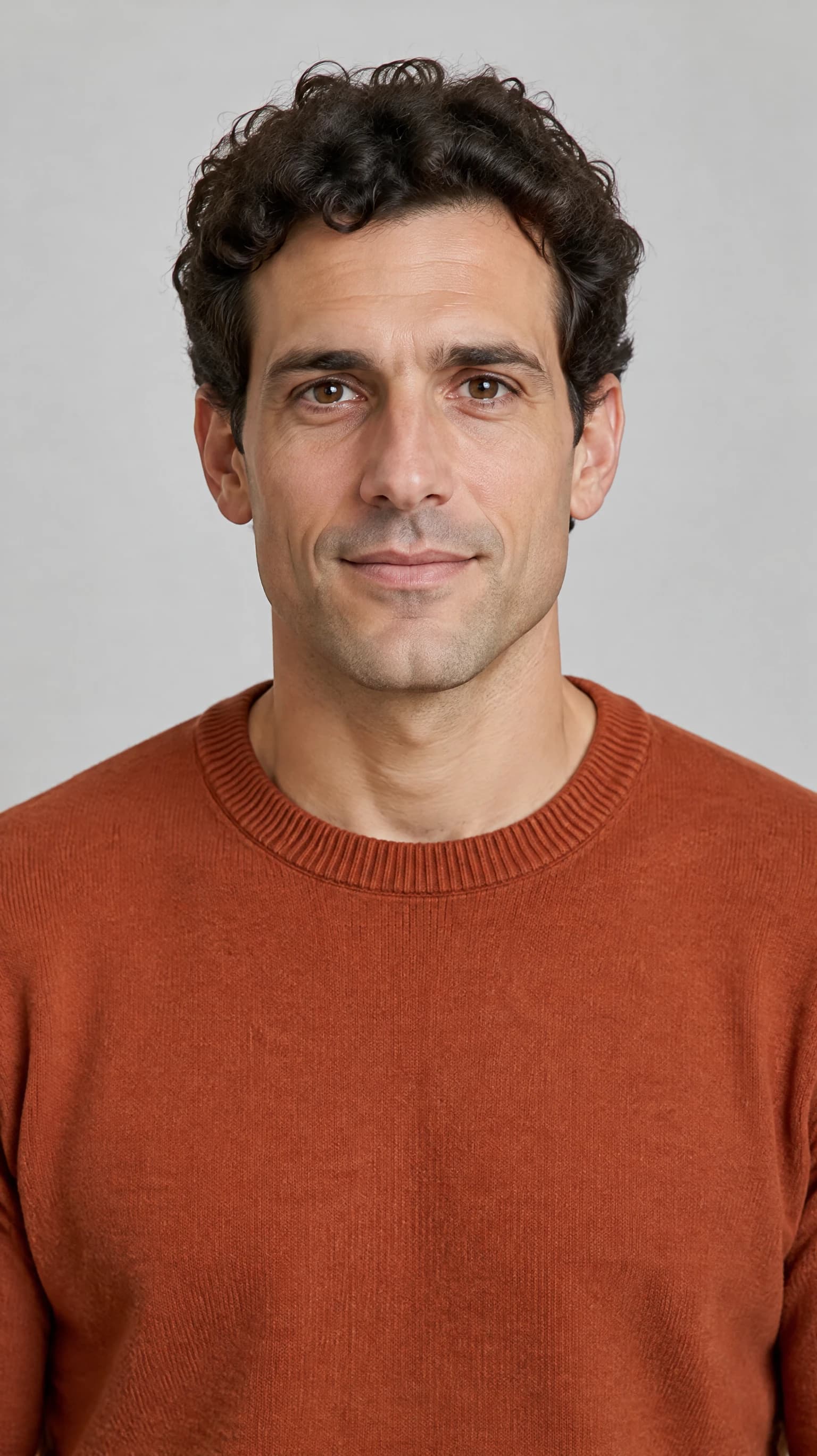
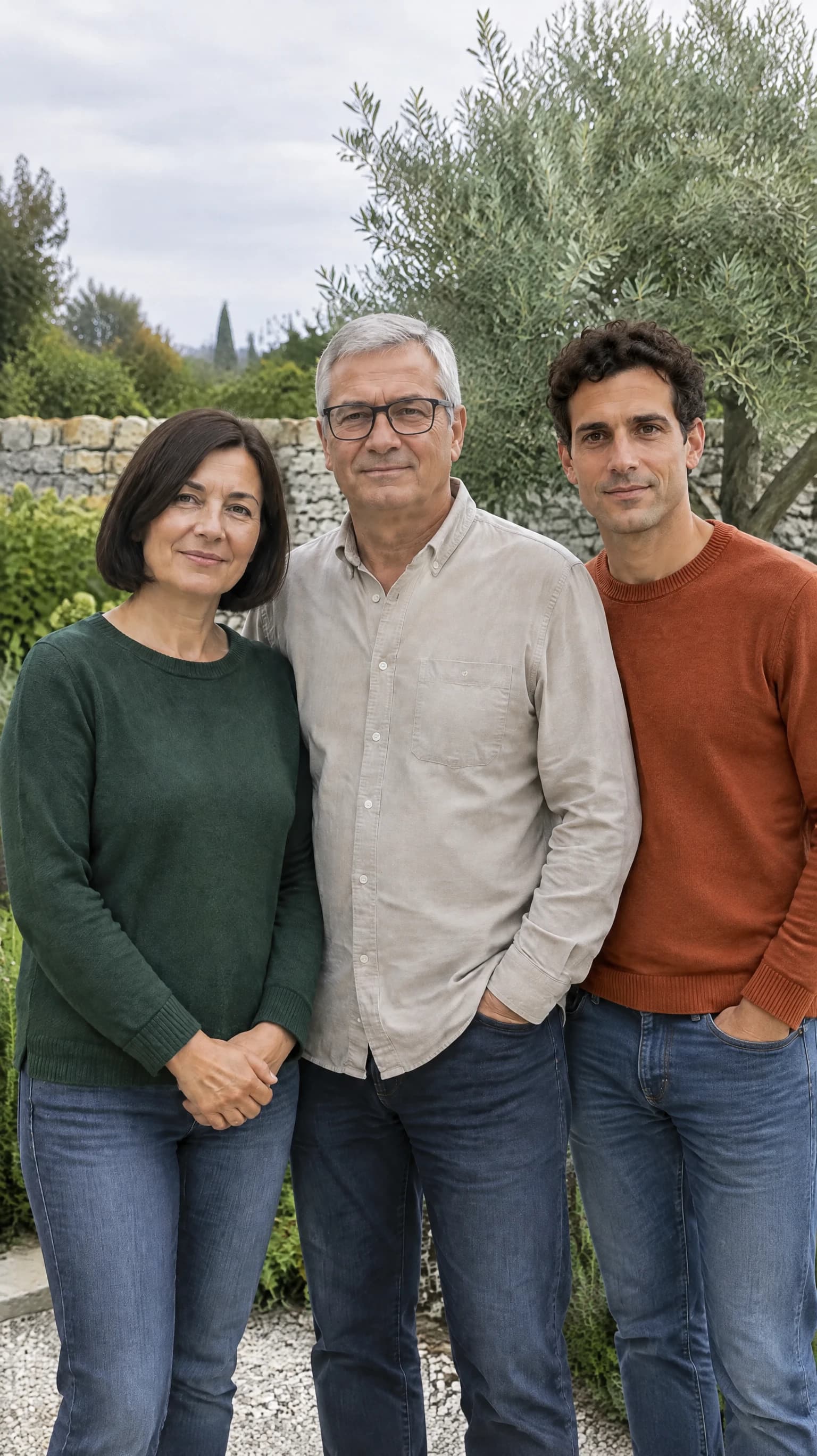
A synthetic garden group photo shows two fictional adults side by side: a woman with a dark bob and green sweater on the left, and a silver-haired man with black glasses and a beige shirt on the right. A separate synthetic portrait shows one fictional adult man with curly dark hair and a rust sweater. The prepared composite depicts the three adults together in the garden, with the original pair still visible. These are fictional people, not a real family or gathering.
All example media use synthetic inputs and depict fictional adults or pets, objects, or settings described in this example. This is an illustrative example, not a customer result; outcomes vary.
Frequently asked questions
Which photo goes in each slot?
Use the group photo as the first input and the separate photo of the one person to add as the second. The expected membership count is the original group plus one.
What if an original person disappears or changes?
Stop and reject that prepared version if someone is missing, replaced, duplicated, merged, or no longer recognizable. Do not count a visually appealing result as successful if it fails your membership checks.
Does the prepared still prove a reunion or completed animation?
No. It is an imagined composite still. It does not prove that the people gathered in real life, and it does not show that an animation was completed.